---
title: "FeatureOS Changelog and Release Notes Software (2026)"
summary: "Compare the best changelog and release notes software for SaaS. In-app widgets, email, embeds, and how FeatureOS connects release notes to feedback."
date: 2025-10-21
author: "Sathi Banerjee"
canonical: https://featureos.com/blog/best-changelog-and-release-notes-software-featureos
markdown: https://featureos.com/blog/best-changelog-and-release-notes-software-featureos.md
categories: ["release-notes","comparisons"]
image: "https://assets.production.featureos.com/featureos/site-assets/images/blog/best-changelog-and-release-notes-software-featureos/thumbnail.png"
readingTime: 7
---
Release notes aren't just a list of what you fixed this week. For SaaS and product-led companies, they're how you show users that you're actually building the product they're paying for. Done well, they build trust and drive adoption. Done poorly (or not at all), users have no idea you're listening.
The problem is that most teams still publish release notes manually - pasting into Notion, sending a one-off email, or updating a markdown file nobody reads. Users miss the updates, and all that work you shipped goes unnoticed.
Modern changelog tools fix this. They help you write better updates (some with [AI](/ai)), automate distribution across channels, and give you data on which announcements your users actually engage with. **FeatureOS** goes further by tying your changelog directly into your [feedback boards](/boards) and [roadmap](/roadmaps), so every update connects back to what users asked for.
Related: **[How to Write SaaS Release Notes: Best Practices, Tools & Examples](/blog/how-to-write-saas-release-notes)**
## **Why Release Notes Still Matter in 2026**
Because your users expect to see progress. When they're paying monthly for your product, they want proof that it's improving. Release notes are that proof. As [Intercom's product team has noted](https://www.intercom.com/blog/shipping-is-your-companys-heartbeat/), shipping and communicating updates is the heartbeat of any product company.
But beyond user communication, good release notes also:
- Announce features clearly so users actually try them
- Cut down on support tickets ("Oh, that's new? I didn't know")
- Keep internal teams aligned on what shipped and when
- Drive engagement around launches
The real value comes when your release notes are part of a feedback loop. That's what FeatureOS does natively - every changelog entry can link back to the roadmap items and feedback posts that inspired it.
## **Changelog vs Release Notes**
Quick distinction:
- **Changelog** = A running log of everything shipped, including small improvements and bug fixes. Think of it like a [Keep a Changelog](https://keepachangelog.com/) format, but designed for end users instead of developers.
- **Release notes** = A bigger, more detailed announcement for significant updates.
Most tools treat these separately. FeatureOS combines both, so you manage quick changelog updates and detailed release announcements in the same workspace. If you want to dig deeper into how these relate to roadmaps, see our guide on the [difference between changelog and roadmap](/dossier/difference-between-changelog-and-roadmap).
## What Makes a Good Release Note
A release note that actually works should:
- Explain the benefit behind the change, not just the technical detail
- Link back to the feature request that triggered it
- Notify the customers who asked for it
- Support multiple languages if you have a global user base
- Give users a way to react or comment
- Include visuals - screenshots, videos, embedded demos
- Credit the team members who built it
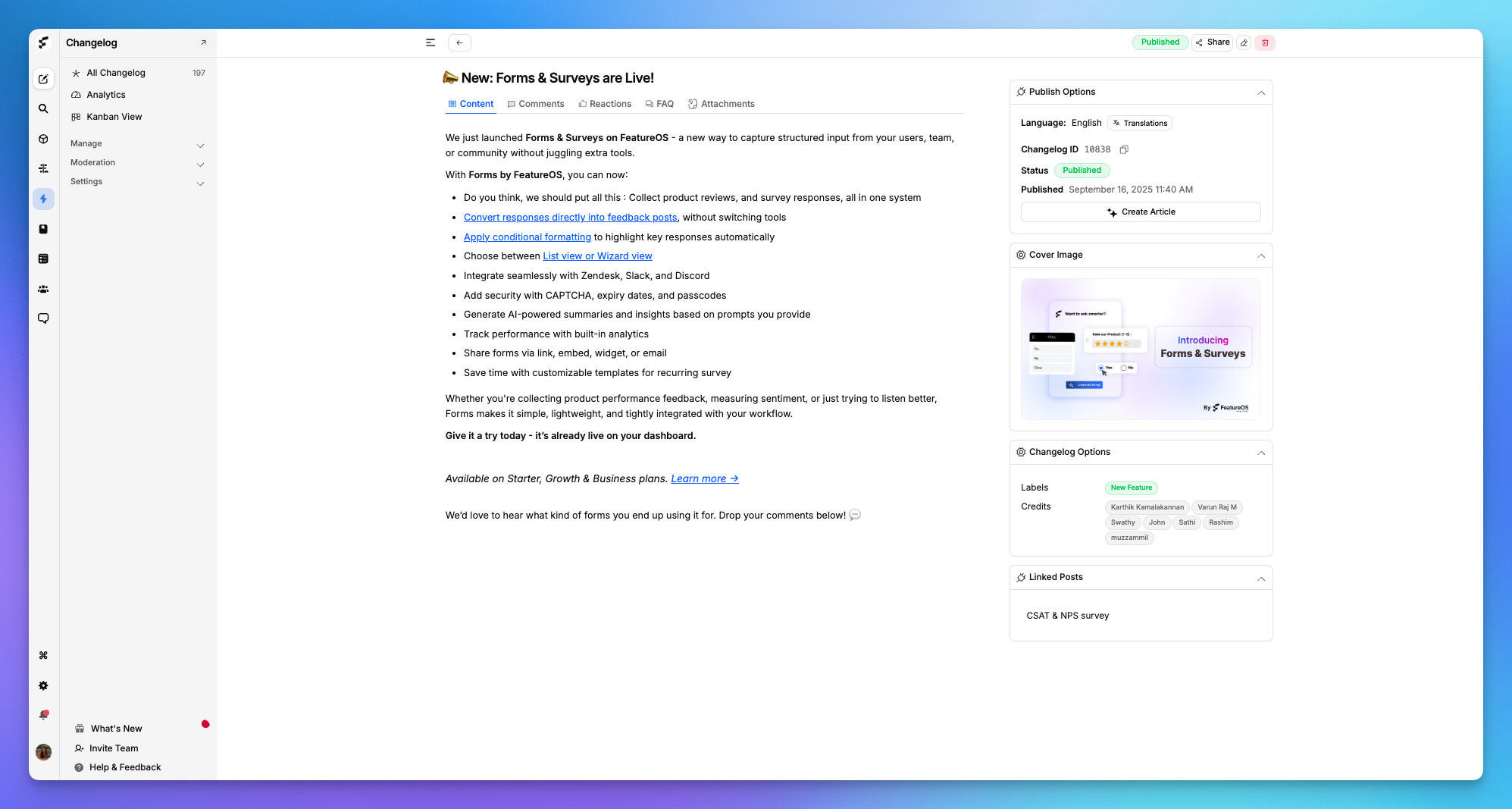
FeatureOS handles all of this natively. Every changelog connects to your [roadmap](/roadmaps), [feedback boards](/boards), and [forms](/forms-and-surveys), turning each update into part of a two-way conversation with your users.
Related: **[Top 5 Beamer Alternatives & Replacement Apps](/blog/beamer-replacement)**
## The Problem With Manual Release Notes
Many teams still manage release notes by:
- Editing a Markdown file or GitHub Releases page
- Copy-pasting into blog posts
- Sending emails or Slack announcements manually
- Maintaining a CHANGELOG.md that nobody outside engineering reads
This approach has real costs:
- **Low visibility**: Most users never check docs or blog posts for updates.
- **Manual overhead**: Updating multiple channels (docs, email, in-app) eats up time.
- **No context**: Release notes are disconnected from the feedback and roadmap that led to them.
- **No analytics**: You have no idea which updates users actually saw.
- **Broken feedback loop**: Users request improvements after a release, but there's no way to connect that back to planning.
## **Manual vs FeatureOS - Side by Side**
| Problem | Manual Process | With FeatureOS |
| -------------------------------------------- | -------------------------------------- | ------------------------------------------------- |
| Updates hidden | Users never read your blog changelogs | In-app announcements make updates visible |
| No structure | Hard to format consistently | Built-in templates organize updates automatically |
| No analytics | Can't measure engagement | Track views, clicks, and reactions |
| No feedback post and product roadmap linkage | No context between roadmap and release | Roadmap to Changelog connection is automatic |
| Tedious process | Copy-pasting across tools | Publish once, distribute everywhere |
## What a Good Changelog Tool Should Include
If you're shopping for a changelog tool in 2026, here's what to look for:
1. **Templates and structure** - Pre-formatted layouts for new features, improvements, and fixes with dates, categories, and credits.
2. **AI assistance** - Auto-generate drafts from commit messages or change logs, then refine.
3. **Roadmap and feedback linkage** - Connect shipped items back to the requests that triggered them.
4. **Multi-channel distribution** - Publish in-app, via email, and on your website from one place.
5. **Multilingual support** - Translate release notes for global users.
6. **Engagement tracking** - See how many users viewed, clicked, or reacted to each update.
7. **Collaboration and review flows** - Let PMs, engineers, and marketing all contribute and approve. [Lenny Rachitsky's product newsletter](https://www.lennysnewsletter.com/) regularly highlights how cross-functional collaboration improves shipping velocity.
8. **Branding control** - Match your fonts, colors, and design so release notes feel like part of your product.
9. **User reactions and comments** - Let users respond directly on release notes.
10. **Access control** - Make some notes public, others private or gated by login.
## Why FeatureOS Stands Out
FeatureOS was built with the full product lifecycle in mind. [Release notes](/release-notes) aren't standalone posts - they're part of your product's feedback loop. Here's what that looks like in practice:
### AI-Powered Changelog Writing
Instead of writing every update from scratch, FeatureOS can auto-generate draft release notes from your commit logs, pull requests, or changelog data. The AI summarizes changes in plain language and gives you a structured starting point to refine.
_Interactive demo: FeatureOS AI drafts a changelog entry from your shipped work._
### Multi-Language Support
If your users span multiple countries, publishing updates in English only means a chunk of your audience misses the message. FeatureOS auto-translates your changelog into 21 languages. You publish once; users read it in their own language. No separate versions, no manual translation work.
_Interactive demo: one published release note, read by users in their own language._
### Analytics and Engagement Tracking
You need to know whether anyone actually reads your release notes. FeatureOS tracks views, clicks, and reactions in real time. You can see which announcements got attention and which ones slipped by unnoticed. Over time, this tells you what kinds of updates resonate with your users, so you can adjust how you write and present them.
### User Comments and Reactions
Release notes don't have to be one-directional. With FeatureOS, users can react and comment on each update. This turns your changelog into a conversation. When you respond or ship a follow-up, FeatureOS notifies the users who engaged, closing the loop automatically.
### **Turn Changelog Entries Into Help Articles**
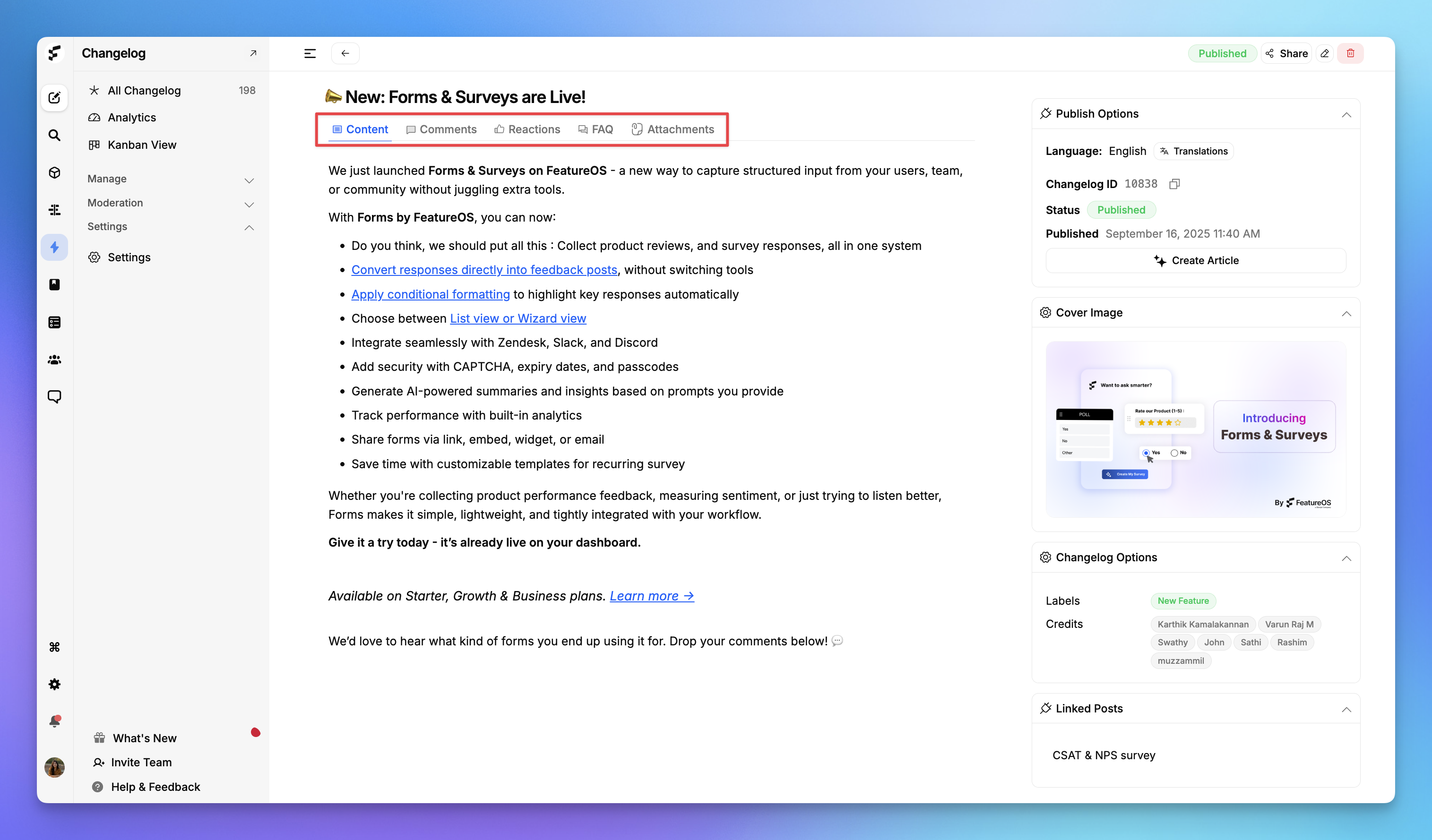
Sometimes a release note deserves more detail. FeatureOS lets you expand any changelog entry into a full [knowledge base](/knowledge-base) article without starting from scratch. Turn a technical update into an educational piece that helps users understand and adopt the feature.
_Interactive demo: turning a published changelog entry into a knowledge base article._
## **How to Write a Good Changelog With FeatureOS**
Here's a practical workflow your team can follow:
### **Step 1: Set a Cadence**
Pick a rhythm - weekly, biweekly, or monthly - and stick to it. Align it with your sprint or release cycles. FeatureOS lets you schedule drafts and maintain a timeline of past and upcoming updates so your communication stays consistent.
### **Step 2: Tag Features on Your Roadmap**
Before you ship, tag each feature, improvement, or fix on your [FeatureOS roadmap](/roadmaps). This way, every release note automatically has context - users can see how each update connects to their requests or the product direction.
### **Step 3: Draft With AI**
When it's time to write, let [FeatureOS AI](/ai) generate a first draft from your commit history or linked roadmap items. You'll spend a few minutes refining tone and adding detail instead of writing from scratch.
### **Step 4: Add Visuals**
Show users what changed, don't just describe it. Use the rich-text editor to embed screenshots, GIFs, or short videos. Tag changes as _New_, _Improved_, or _Fixed_ so they're easy to scan.
### **Step 5: Publish Across Channels**
One click pushes your update to in-app widgets, email, and public changelog pages. Users see your update wherever they are, without you needing to post in five different places.
### **Step 6: Notify the Right Users**
FeatureOS identifies users who requested or interacted with the features in your release note and sends them targeted notifications. Not a generic blast - a relevant update to the people who care most.
### **Step 7: Check Engagement**
After publishing, check analytics to see who viewed, clicked, and reacted. Use this to refine how you communicate future updates.
### **Step 8: Collect Post-Release Feedback**
Users can comment and react right on the release note. Their responses feed directly into your feedback system. In under 30 minutes, you've gone from "tedious documentation task" to a two-way communication channel.
## Try It on Your Own Changelog
If your release notes currently live in a doc nobody opens, FeatureOS gives them a home that connects back to your feedback boards and roadmap. Start a [14-day free trial](https://portal.featureos.app/auth/signup), see the [release notes module](/release-notes), or [talk to us](/request-demo) about moving your existing changelog over.
Related: **[How to Announce New Features That Drive User Adoption](/blog/communicate-new-features)** | **[How to Write Release Notes for Your Product](/blog/how-to-write-changelog)**