
If you are a JIRA Cloud user, and you are using it to collect customer feedback, and you want to allow your customers to vote on features, then this article is for you.
Understanding JIRA Cloud#
JIRA Cloud is made for teams to plan, track, and manage their everyday work, and the product is built around Agile methodologies. Having said that, the increasing demand to keep the customers in loop with the product development process, has opened up the requirement to allow customers to vote on features in JIRA Cloud.
But JIRA Cloud is not built for this purpose. It is built for internal teams to collaborate. But there are workarounds. Let us see how.
How to allow customers to vote on features in JIRA Cloud#
To enable feature voting in JIRA Cloud follow these steps:
1. Create a new custom field for your JIRA Issue Type#
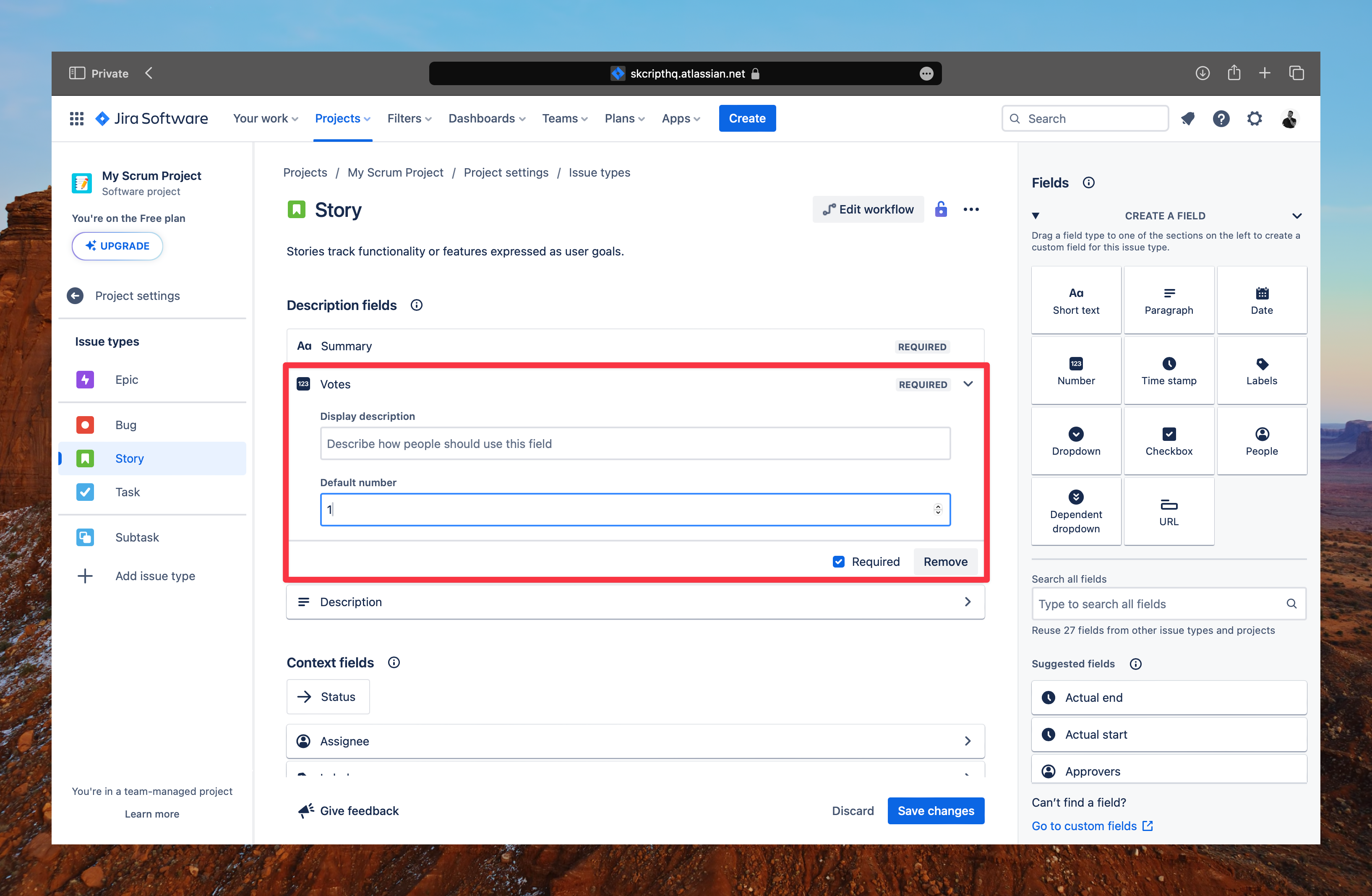
Edit an issue type, and create a new Number field. This will prompt you to enter a name for the field. Enter a name like Votes or Feature Votes and click on Create.
2. Using the new custom field for feature voting#
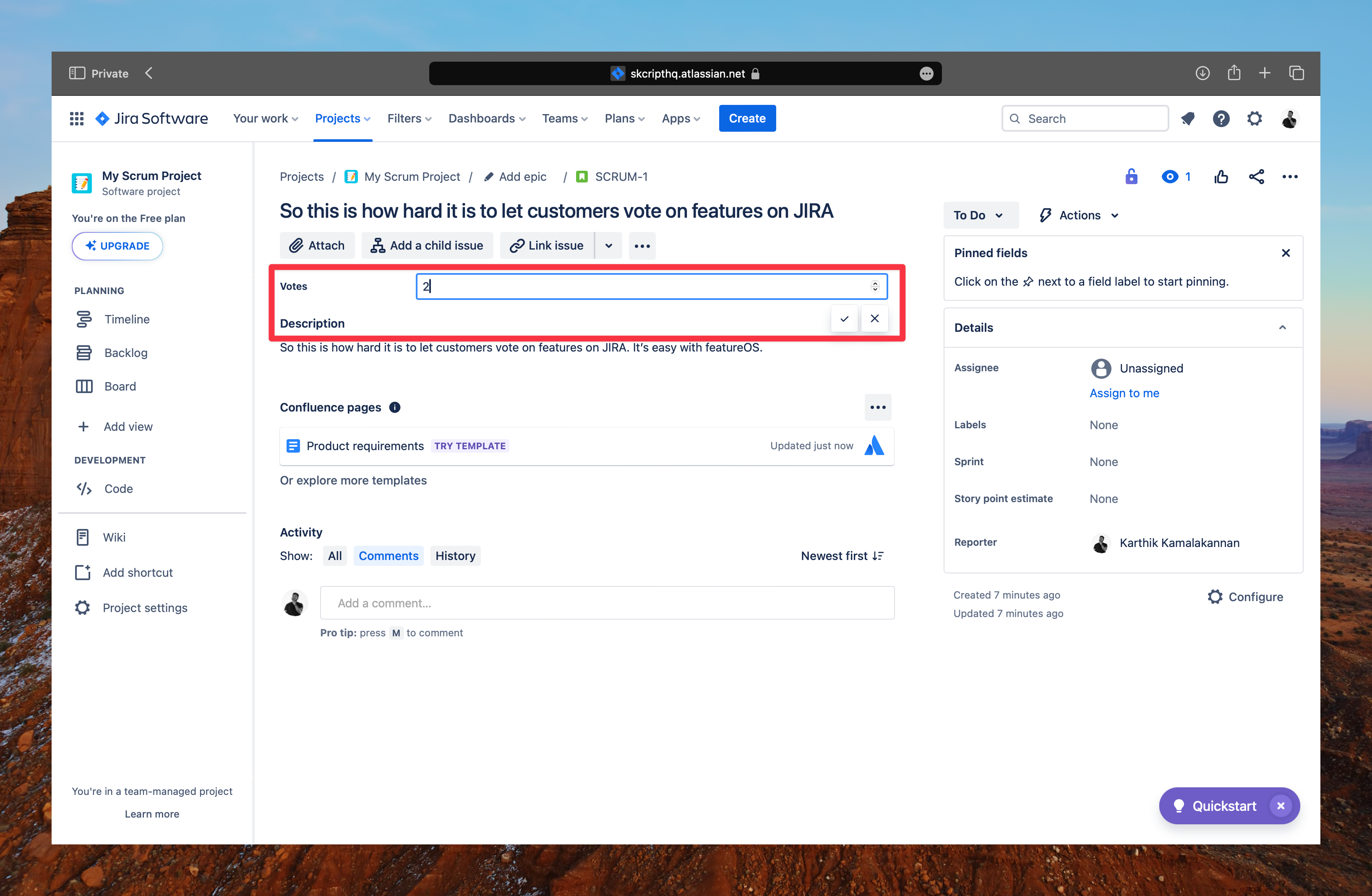
Once you have created the new custom field, you can now use it to manually enter the number of customers who have submitted a ticket requesting a particular feature. This is a manual process and you will have to do this for every feature request.
3. Open the board up to your customers#
Now that you have created a custom field, you can open voting up to your customers. To do this, you will have to create a new workspace, and make it public so that the customers can interact with it. Optionally, you can also add the customers as a watcher to the issue so that they can get notified when the feature is updated.
This could be a tedious process, and you might end up risking your internal data to be exposed to the public if you are not careful. This is where feature voting tools like FeatureOS comes in that has a JIRA Cloud integration that allows you to collect customer feedback and let customers vote on the requests that matter to them.
Using FeatureOS with JIRA Cloud for feature voting#
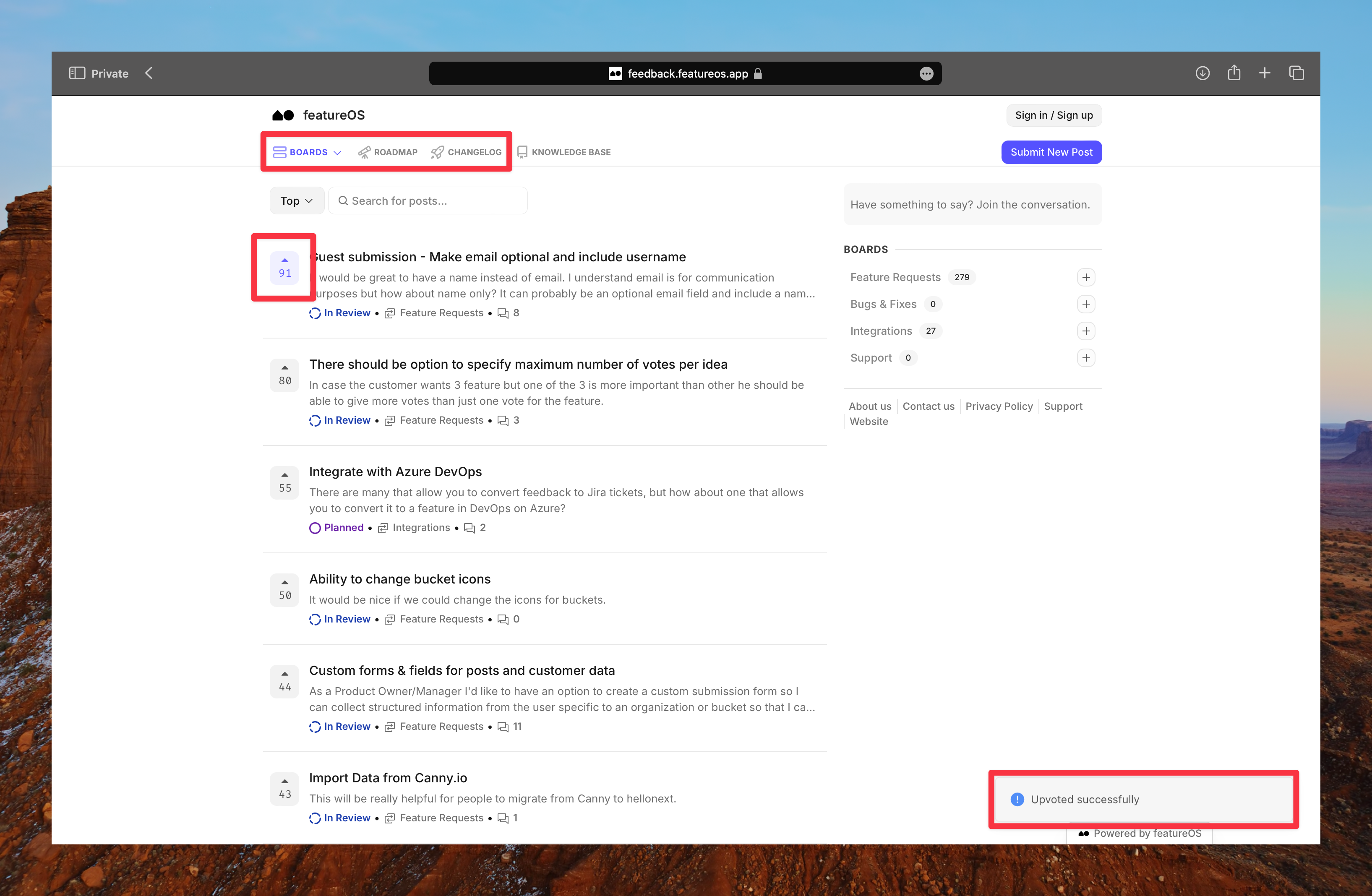
FeatureOS is a customer feedback management tool that allows you to collect customer feedback and let customers vote on features in JIRA Cloud. It is a simple tool that gives your users a public feedback board while your team keeps working in JIRA.
Here's how FeatureOS customer feature voting portal looks like:
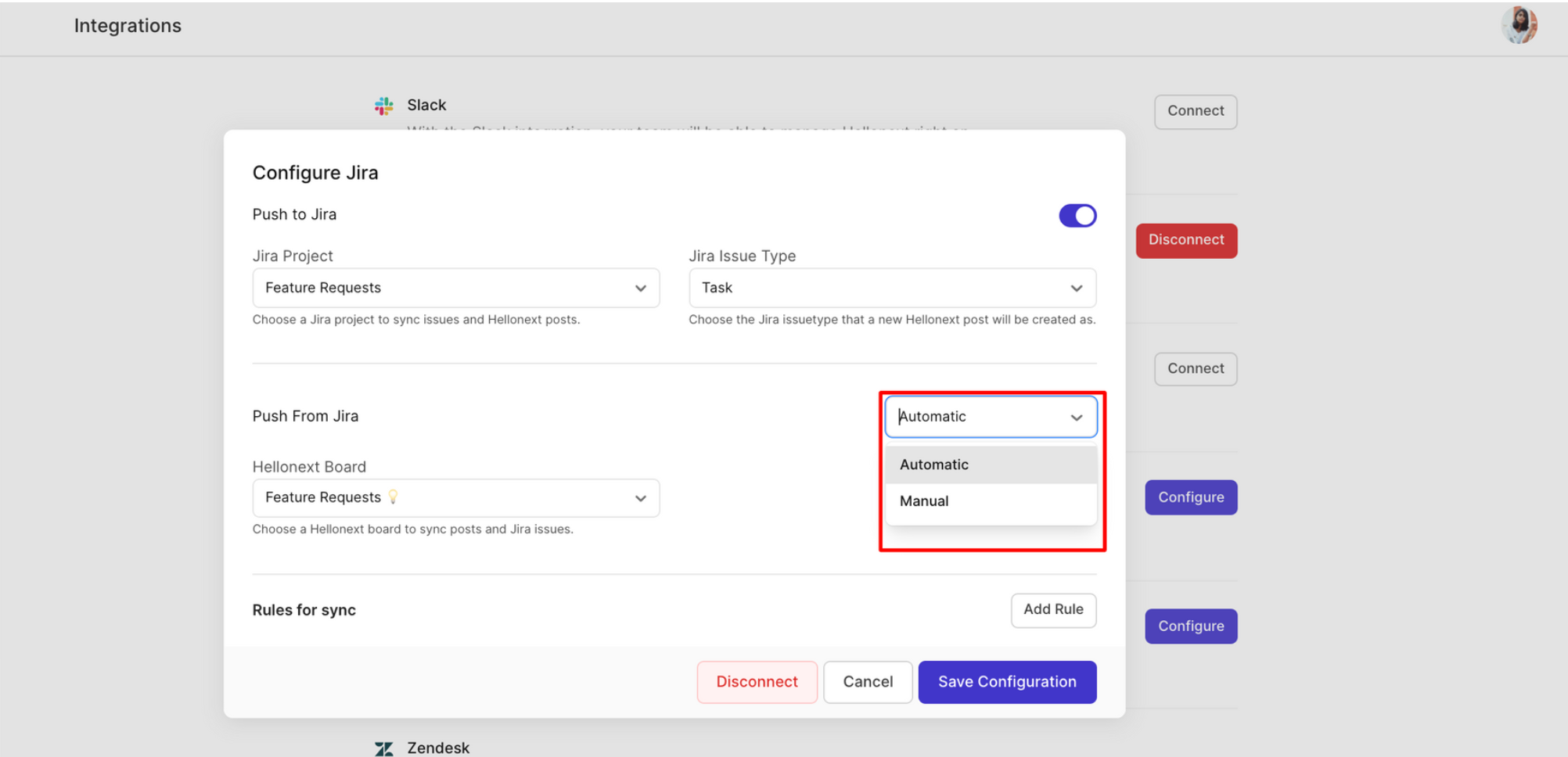
Implementing FeatureOS is very easy. Just sign up here, and follow these steps to integrate FeatureOS with JIRA Cloud. You can even set custom rules that will sync issues from JIRA Cloud to FeatureOS automatically.
To sum it up, what would take you hours to set up and manage in JIRA Cloud, can be achieved within minutes with FeatureOS. You can even set up a custom domain for your feature voting portal, and hand your customers a voting portal that stays in sync with your JIRA issues.